A full-stack security system spanning visual detection, business rules, persistence, live delivery and human response. It accepts on-demand images or continuously watches image and video folders, turns YOLOv5 detections into actionable alerts, and synchronizes every state change across Web and HarmonyOS clients.
This is a full-stack security platform that turns object detection into actionable alerts, closing the loop from AI recognition through rule mapping and database persistence to WebSocket push and front-end handling. Recognition has two entry points: entering an image URL by hand, or dropping images and videos into the ai-watch folder, where a background thread scans every 2 seconds to stand in for a camera. Spring Boot, MySQL and WebSocket handle state and real-time sync, while the web and HarmonyOS clients are used for review and handling.
Two recognition entry pointsSubmit an image by hand, or drop files into ai-watch for automatic scanning and archiving.
Only the alerts that matterModel classes map to six business alert types; unrecognised classes are recorded as target-recognition anomalies and skipped — neither stored nor pushed.
Evidence archived with the alertAnnotated bounding-box images and stitched video-frame images are stored alongside the alert record.
About this project
What it addresses
If detection results in a surveillance setting stop at bounding boxes, they cannot support later handling. This project maps model output to business alerts and attaches on-scene evidence and a handling state to each one, forming a traceable record.
How the data flows
The manual entry forwards an image URL to the AI service; the directory entry has a background thread scan ai-watch every 2 seconds, push results back and archive source files into processed. Detection results are mapped by rules to smoke/fire, crowd gathering, intrusion, vehicle, animal or object anomalies, and only broadcast over WebSocket once the transaction has committed.
What it uses
Inference runs on FastAPI with YOLOv5 (both a COCO model and a fire/smoke model); the business side is Spring Boot 3.3 with MySQL 8, using WebSocket for real-time push. Interfaces are built with Vue 3 and ArkTS / ArkWeb. Vue is served as a local static build directly by Spring Boot, so the project runs straight after cloning; a one-command Docker deployment is also provided.
Current status
Five pages are implemented — dashboard, devices, AI recognition records, live alert centre and handling history — together with a code walkthrough tutorial. Actual detection quality should be assessed against the dataset, confidence threshold and deployment environment in use.
5Core admin views
6 TypesBusiness alert rules
≈ 2sWatch-folder scan cycle
3 ClientsWeb · OpenAPI · HarmonyOS
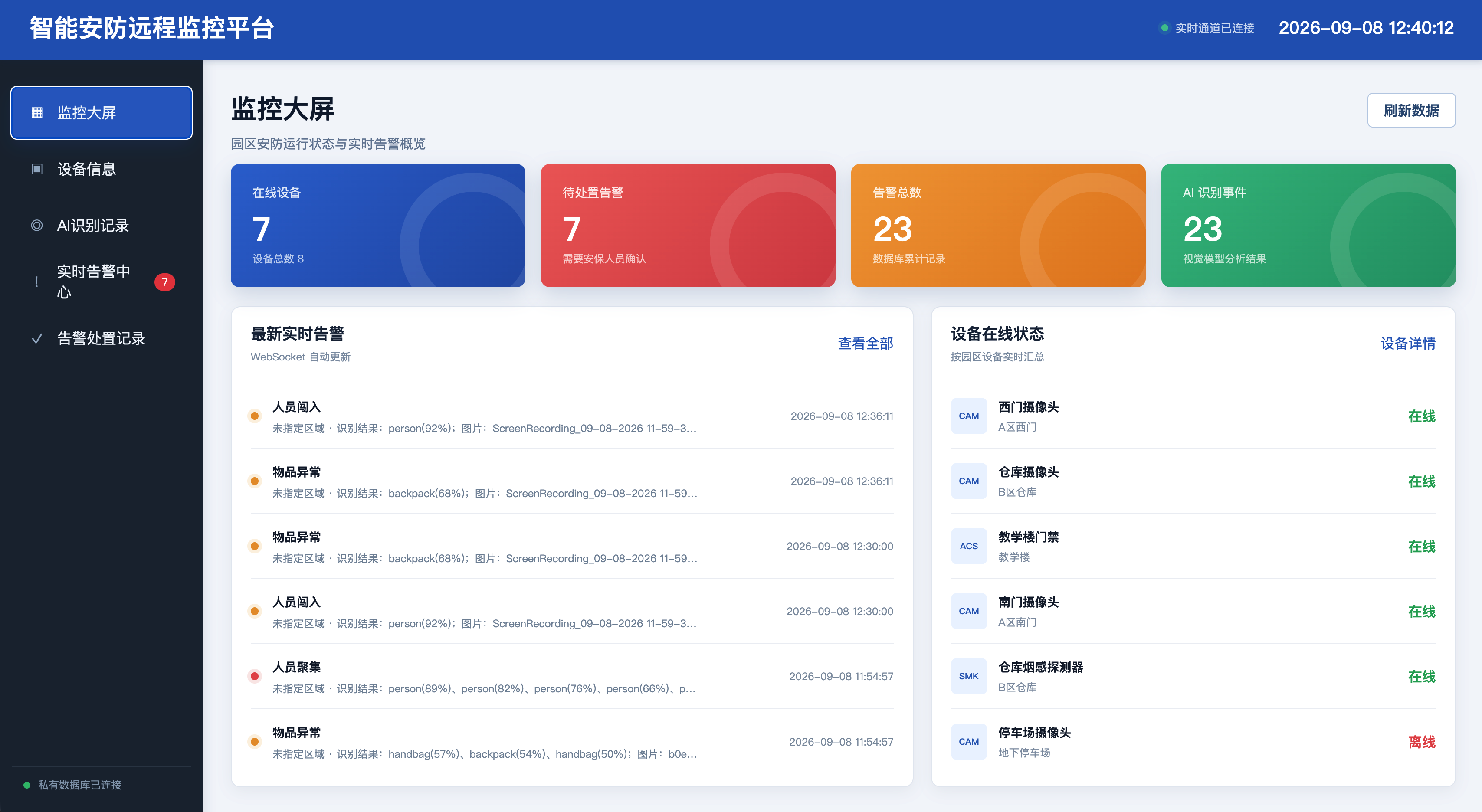
Two screens you land on immediately
The admin front end is served as static files directly by Spring Boot, so the project runs straight after cloning with no separate Node.js environment.
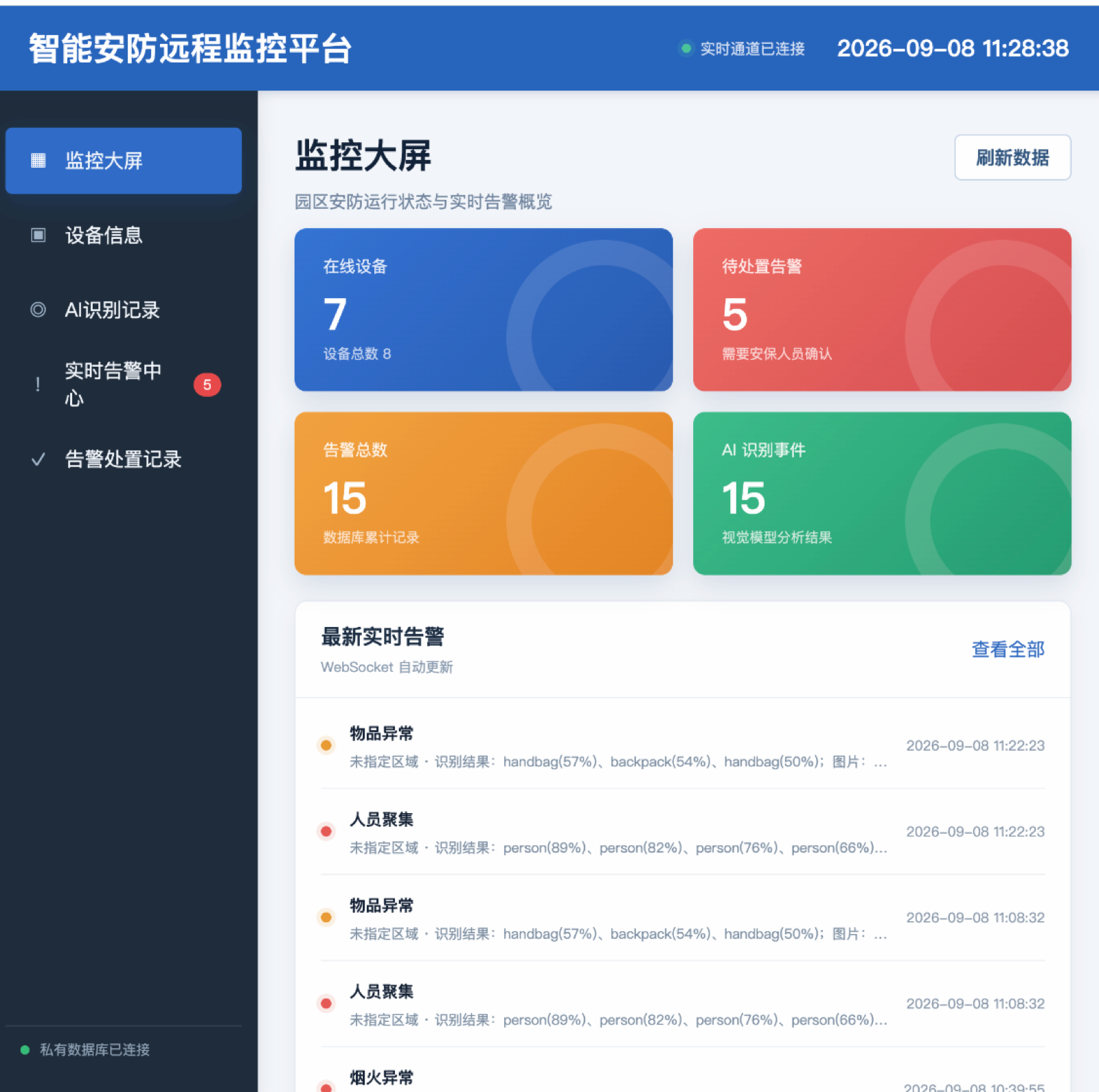
The dashboard summarises online devices, pending alerts, total alerts and AI events, with a WebSocket-refreshed live alert feed below showing the detected class and confidence for each entry.
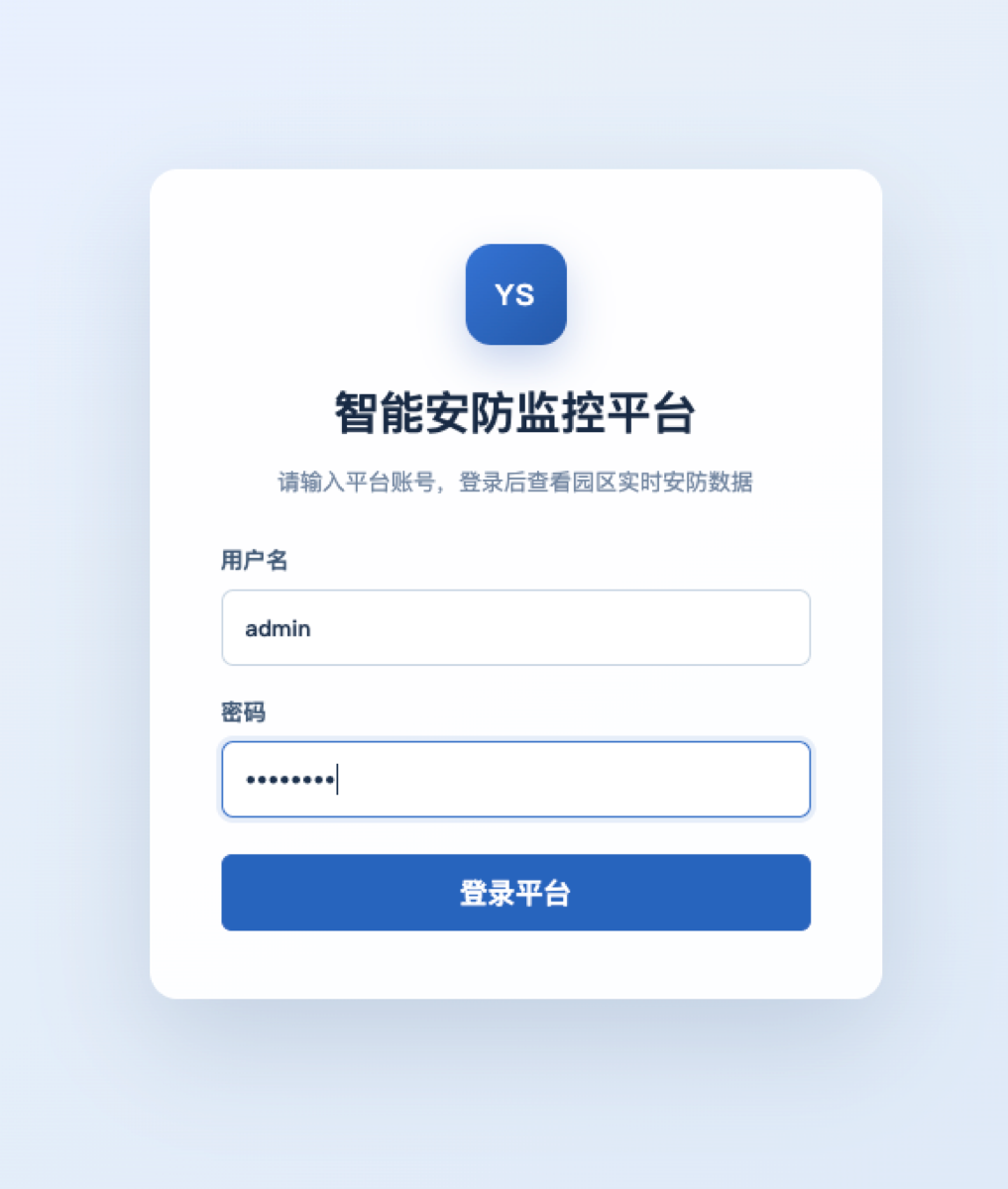
The login page. Signing in with a platform account opens the campus security view shown above.
From detection to response
Every step from “what the model saw” to a completed response preserves state and visual evidence.
Image & Video Analysis
Network images, uploads and sampled video frames are supported, with multi-frame results merged into one event.
YOLO Inference
COCO and fire/smoke models cover people, vehicles, objects, animals, smoke and flames.
Rule Mapping
Detected classes become domain alerts such as intrusion, crowding, fire, vehicle or object anomalies.
Live Broadcast
WebSocket updates are emitted after the database transaction commits, keeping screens consistent.
Response State Machine
Alerts move from pending to in progress to closed, with invalid repeat actions rejected.
Evidence Archive
Annotated detections and video contact sheets remain attached to their alert records.
The alert journey
Manual submissions and the ai-watch folder share the same backend workflow.
01 · Input
Field Media
Image URL, uploaded file, or watched image/video.
02 · Vision
FastAPI + YOLO
Inference, annotation and frame aggregation.
03 · Rules
Spring Boot
Mapping, validation and transaction control.
04 · Data
MySQL 8
Devices, alerts, states and evidence.
05 · Delivery
WebSocket
Live events reach every connected console.
Traceable detections
Operators can review the boxes behind an alert instead of trusting an opaque result.
A contact sheet of annotated video samples, stored as evidence with the generated alert.
HarmonyOS client
The mobile client combines ArkWeb with device-aware interaction and native sharing.
ArkTS + ArkWeb
Connect by LAN address with navigation, loading progress and demo-session sign-in.
Grip Awareness
The floating action control adapts to left- or right-hand holding status.
HarmonyShare
Tap-to-share and air gestures transfer a controlled demo session to nearby devices.
Technology
A coordinated browser, business, vision, data and device stack.